ODoptik brings appointments, patient records, exams, prescriptions, billing, and your whole team into one clean, browser-based platform — no per-seat fees, no locked-in hardware.
Each module is designed to work together — no patchwork of third-party add-ons required.
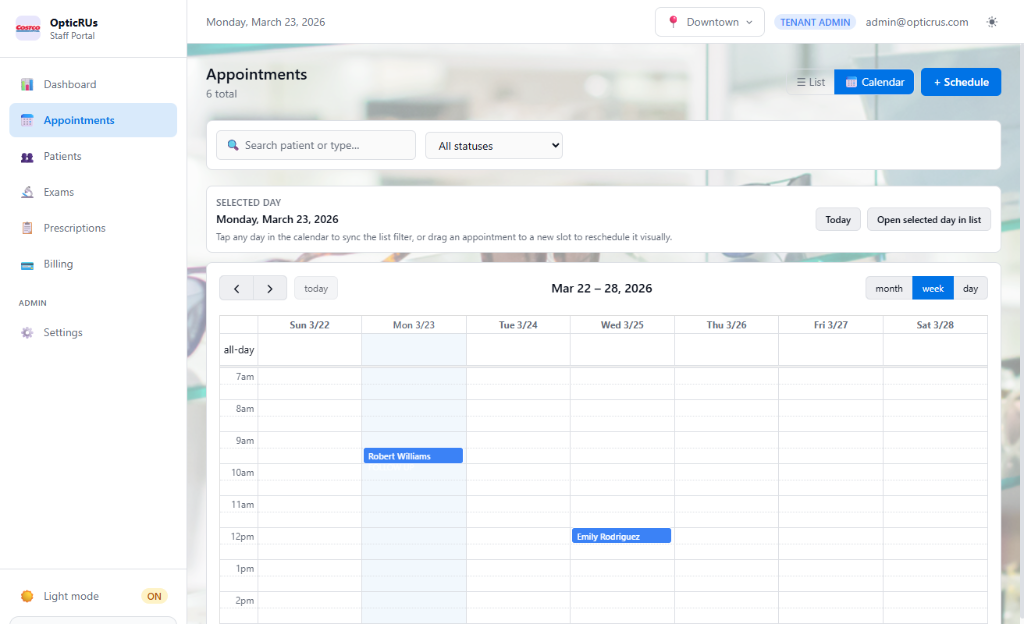
Calendar-driven booking with status tracking (Scheduled → Confirmed → In Progress → Completed). Filter by provider, location, and date. Inline patient lookup and quick status updates from the calendar view.
Structured patient profiles with demographics, contact info, insurance details, and a full history of appointments, exams, prescriptions, and billing — all on one screen.
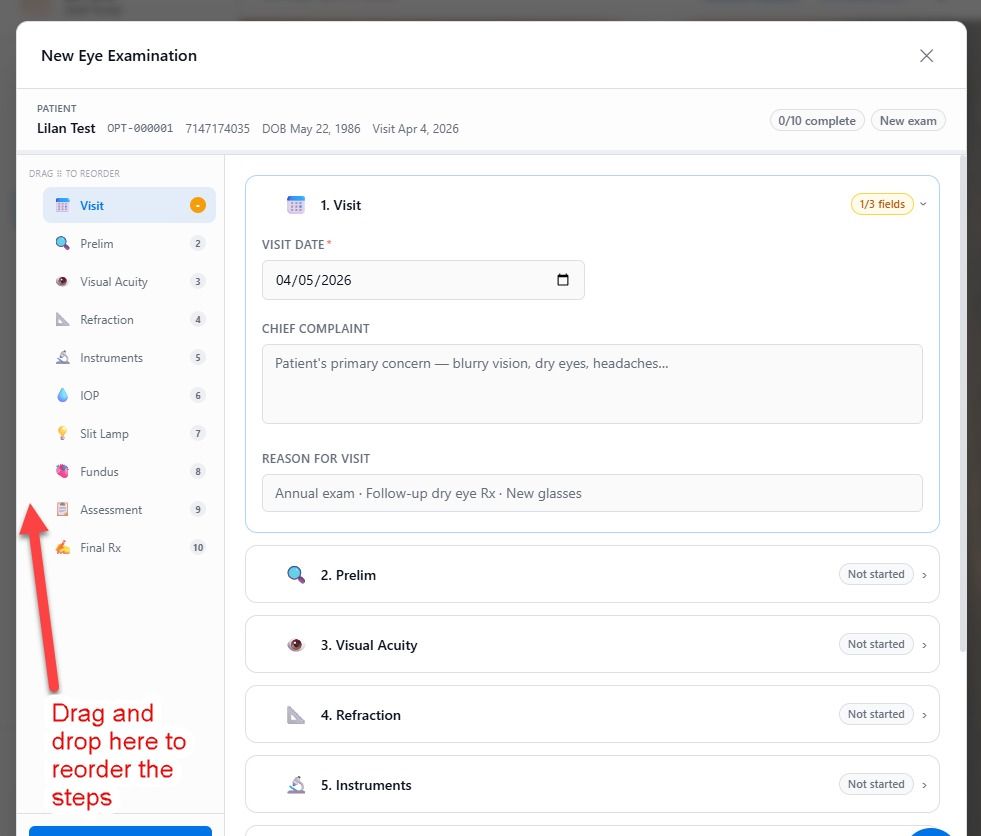
Structured eye exam records covering chief complaint, visual acuity, refraction, slit lamp, fundus, IOP, and assessment & plan. Optional sections collapse to keep the form clean.
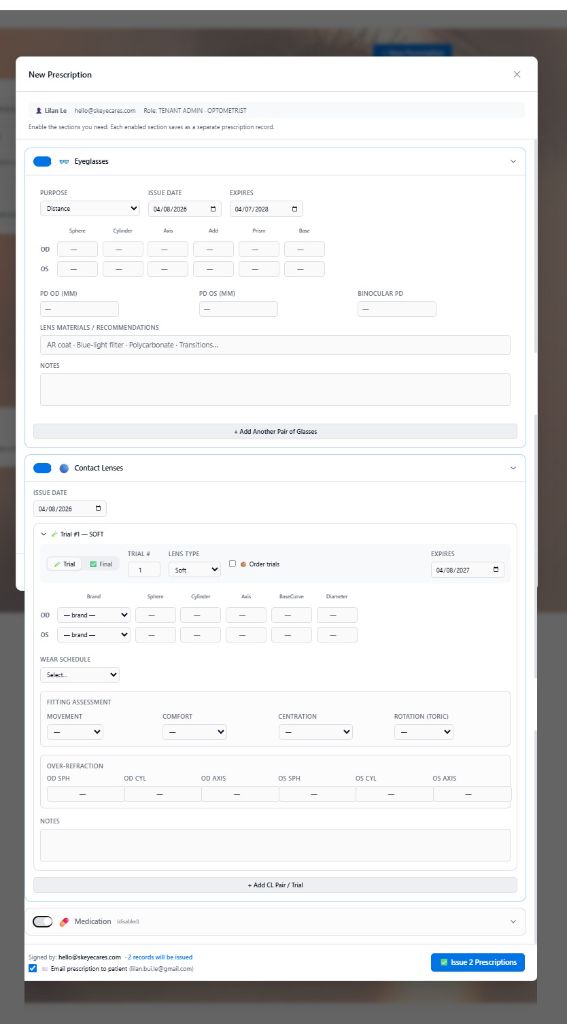
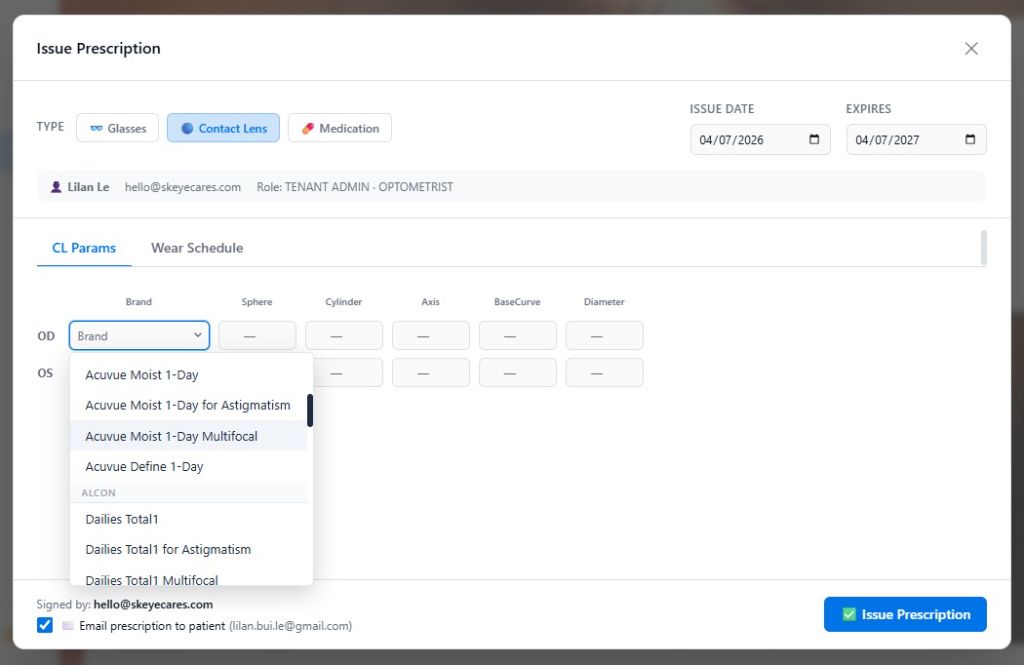
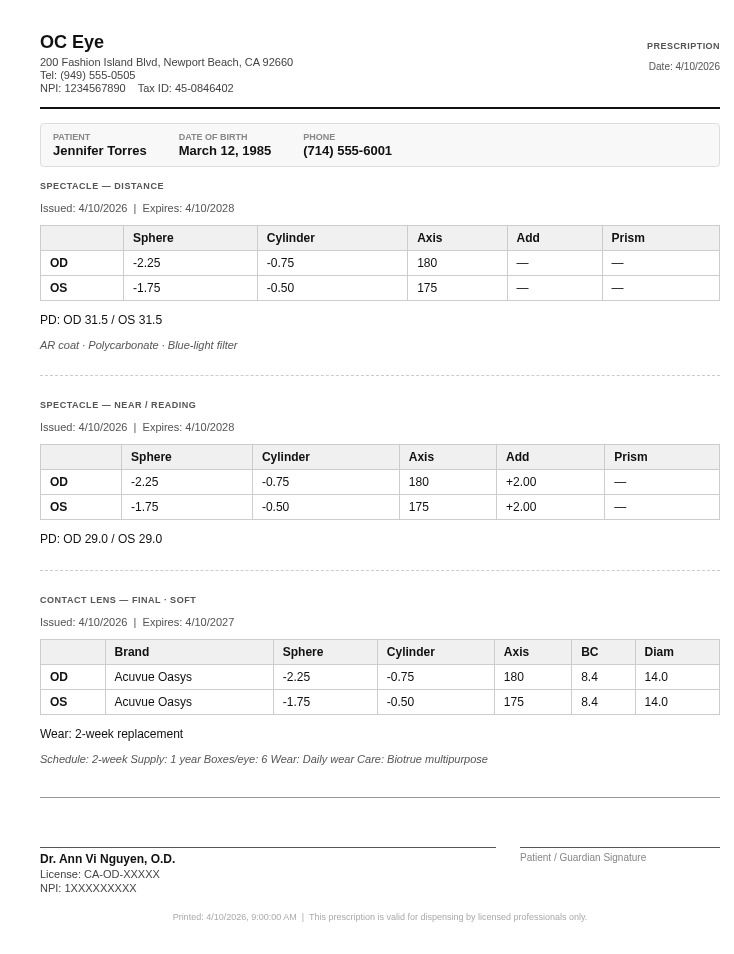
Issue spectacle, contact lens, and medication prescriptions. Print-ready PDF layout with provider NPI, clinic details, and expiry date. Full prescription history per patient.
Create and manage invoices with line items, payment tracking, and status (Pending → Paid → Overdue → Void). Designed for front-desk use.
Dashboard KPIs for patients, appointments, prescriptions, and staff. Appointment trend charts, provider workload bars, and reminder delivery stats.
Invite staff as Receptionist, Technician, Optometrist, or Tenant Admin. Role-based navigation and data access — each user only sees what they need.
Add unlimited locations under one tenant. Each location has its own NPI, contact details, and appointment calendar. Staff can be assigned per location.
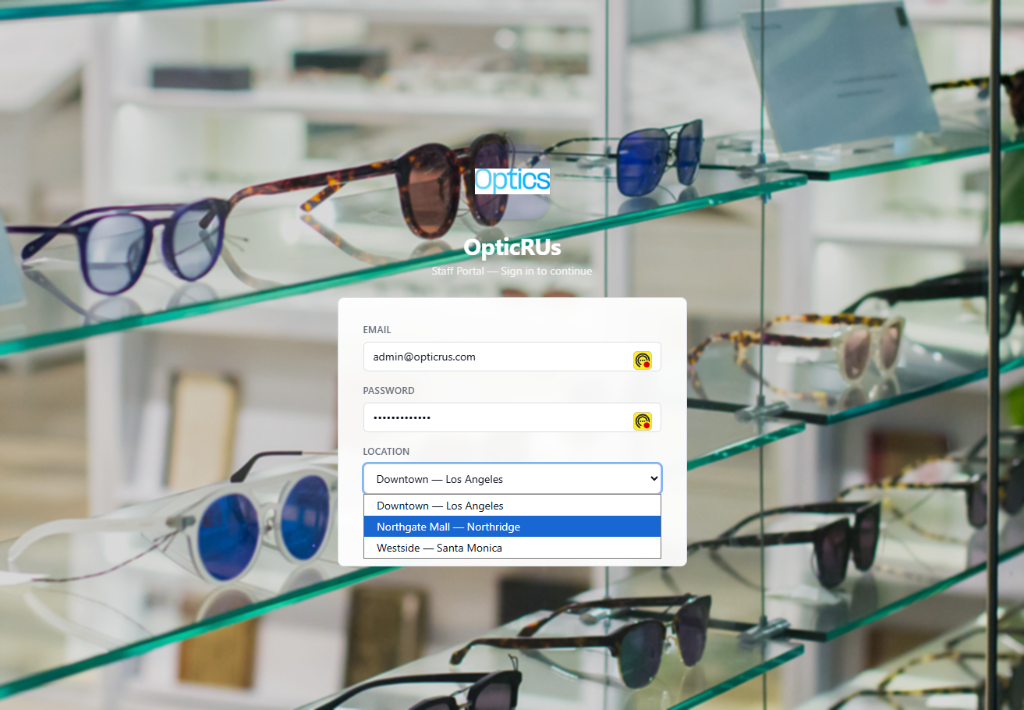
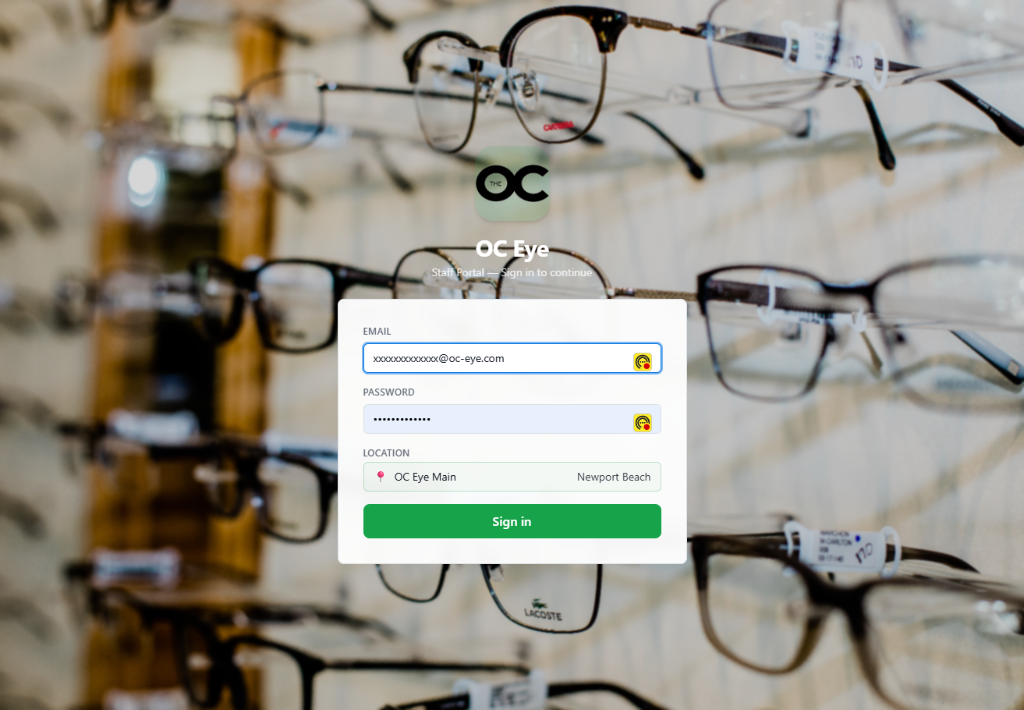
Upload a clinic logo, set a background image, choose a colour scheme from eight presets or pick custom hex values. Your portal, your look.
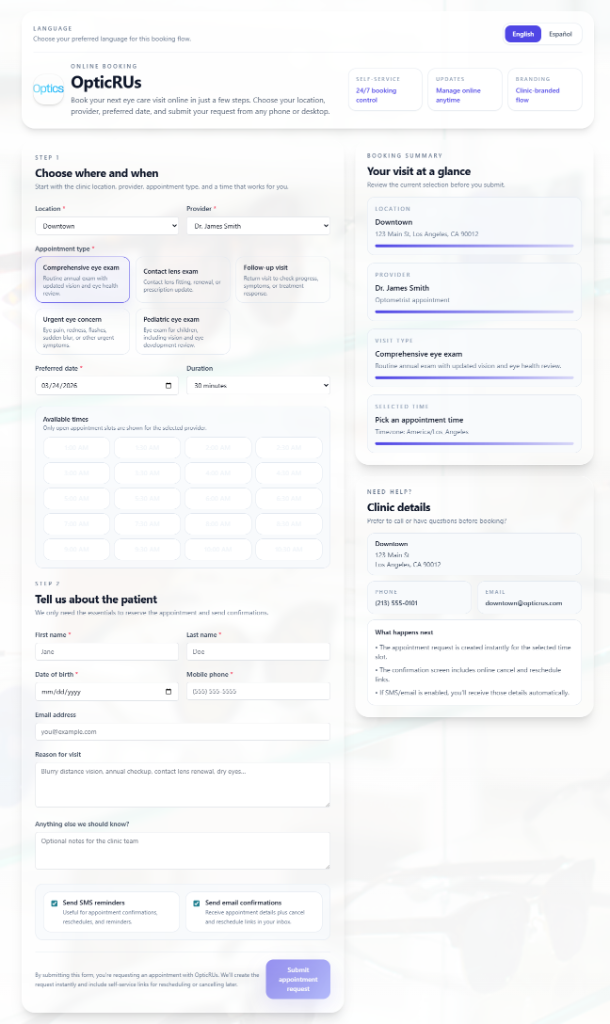
Patients book their own appointments online at
yourpractice.odoptik.com/appt
— no staff login, no phone tag. The fully branded, mobile-friendly flow feeds directly into the staff calendar.
ODoptik is a web application — no downloads, no local servers, no IT department required.
Choose the right license tier for your practice. We'll provision your tenant on ODoptik's infrastructure (or your own server for Enterprise). You get a unique login URL branded to your clinic.
Add your locations, invite staff, upload your logo, and set your colour scheme. Your patient-facing booking page at yourpractice.odoptik.com/appt is live immediately. Optionally enable SMS & email reminders and insurance eligibility verification from the Settings panel.
Start creating patient records, scheduling appointments, running exams, and issuing prescriptions. Each module is designed to be intuitive for front-desk and clinical staff alike.
Use the admin panel to track KPIs, manage providers, review appointment trends, and configure reminder automation. Multi-location practices can manage every site from one login.
A public, mobile-friendly booking page lives at yourpractice.odoptik.com/appt — no staff involvement until the appointment is confirmed.
Patients pick from all active clinic locations under your practice.
Select a preferred optometrist or leave it open for any available provider.
Comprehensive exam, contact lens fitting, follow-up, or other configured types.
Only genuinely available slots are shown — no double-booking risk.
Name, contact info, and insurance entered inline. No account creation needed.
Branded confirmation screen appears instantly. Booking lands in the staff calendar in real time.
Role-based navigation means each staff member sees only the modules relevant to their work.
Appointments, Patients, Billing. Handles the front-desk workflow — scheduling, intake, and payment — without access to clinical data.
Supports the clinical workflow — pre-tests, visual acuity, and exam documentation — before the optometrist takes over.
Full clinical access — exams, prescriptions, and patient history. Providers are listed in appointment scheduling and workload reports.
Full access to all modules plus the admin panel — staff management, locations, reminder rules, reports, and clinic branding.
Optional integrations are configured in the admin panel. All credentials are stored AES-256 encrypted.
Automated appointment reminders sent by text. Configure your own message templates using patient name, date, and time variables. Rules are set per trigger event — on schedule, before, or after an appointment.
OptionalTransactional email for appointment confirmations and reminders. Works alongside or independently from SMS reminders. Uses the same configurable rule engine.
OptionalReal-time eligibility checks against the patient's insurance plan before appointments. Helps front-desk staff confirm active coverage and reduce billing surprises at checkout.
OptionalAll integrations are optional. ODoptik functions fully without any third-party connections — integrations simply add automation on top of core workflows.
ODoptik is licensed per practice, not per seat. Contact us to receive a quote tailored to your location count and setup requirements.
One clinic. One license. Everything included.
One platform for all your locations.
Self-hosted, white-labelled, fully configurable.
We'd rather tell you what's missing than oversell. These are areas currently outside the platform's scope.
Prescriptions are created and printed within ODoptik but are not transmitted electronically to pharmacies.
Billing records are tracked inside ODoptik, but card payments are not processed directly. A separate POS or payment gateway is required. Payment processing integration is on the roadmap — contact us if this is a priority.
ODoptik stores clinical notes and prescription data, but does not yet integrate with retinal cameras, OCT devices, or other diagnostic imaging hardware.
The platform is currently available in English and Spanish. Additional language localisation is on the roadmap — let us know if another language is a priority for your patient population.
For Single Shop and Multiple Shops licenses, ODoptik runs on managed cloud infrastructure — you get a login URL and don't need to manage any servers. The Enterprise tier adds the option to self-host on your own infrastructure if your organisation requires it.
A Tenant Admin creates staff accounts from the Settings panel. Each account is assigned a role (Receptionist, Technician, Optometrist, or Tenant Admin) and optionally a secondary role. Role assignment controls which modules appear in that user's navigation. There is no limit on the number of staff accounts in any tier.
Every ODoptik tenant gets a public booking page at yourpractice.odoptik.com/appt. Patients visit it without logging in and walk through a guided flow: choose a location → provider → appointment type → time slot → enter details → opt into reminders → submit. They receive a branded confirmation screen instantly. The booking appears in the staff calendar in real time. Confirmation messages include reschedule and cancel links so patients can self-manage without calling the front desk.
No — all three are optional. ODoptik works fully without any of them. SMS and email reminders add automation on top of the scheduling workflow. Insurance eligibility verification helps front-desk staff confirm coverage before appointments. Any third-party service costs are separate from your ODoptik license.
Yes. Staff are assigned to locations, and appointment calendars and scheduling are location-aware. A Tenant Admin can manage all locations from the centralised admin panel. Multiple Shops and Enterprise licenses support unlimited locations under one login.
Integration credentials are stored AES-256 encrypted. The platform uses HTTPS, role-based access controls, and authentication tokens with refresh logic. Overall HIPAA compliance depends on your hosting configuration, data processing agreements, and internal policies. Enterprise customers have full control over data residency and security configuration.
Use the contact form below and tell us how many locations you operate and roughly how many staff will use the system. We'll come back with a straightforward quote based on your tier. There are no per-seat charges in any tier.
The Tenant Admin is the practice owner or office manager role. From the admin panel they can: add and manage staff accounts and assign roles, add and edit clinic locations, configure automated reminder rules, manage clinic branding, view reports and KPIs across all locations, and connect optional integrations. Every ODoptik subscription includes at least one Tenant Admin account with no limit on additional accounts.
Tell us a bit about your practice and we'll get back to you with a tailored quote and, if useful, a walkthrough of the platform.